
October 20, 2026
HVAC Web Design Guide: Complete 2026 Strategy for Contractors
HVAC website design guide for contractors: essential pages, platform comparison, Core Web Vitals, and conversion tactics to turn visitors
Published On: November 9, 2026
Published By: Designocracy

Every web app looks simple on the screen. Behind it sits a system with many moving parts. A browser sends a request. A server applies your business rules. A database saves the result. The page updates in a blink. Each step depends on choices made months earlier.
This guide is for founders, product owners, and marketing leads who must make those choices. You will see how browser-based software is structured, how a project moves from idea to release, which tools teams use for each job, and what well-known products can teach you. If you are still learning to code, start with our beginner's guide to coding basics, then come back here.
Prefer to hand the build to experts? Our web app engineering team can take you from first sketch to live product.
Every web app follows the client-server model. The client is the browser on a phone or laptop. The server is a cloud computer that stores your code and data; the two communicate through an API, a set of rules for sending and receiving information. Most APIs exchange data in a format called JSON.
Rendering describes where each page is built: in the browser or on the server. The choice affects speed, cost, and search visibility.
| Model | How It Works | Strengths | Watch Out For |
|---|---|---|---|
| Single-page app (SPA) | Loads once, then JavaScript swaps screens | Fast, app-like feel | Needs extra work for search and first load |
| Server-side rendering (SSR) | Server builds each page before sending it | Good first load and search reach | Higher server load |
| Static generation (SSG) | Pages are built ahead of time | Very fast and cheap to host | Poor fit for live data |
| Progressive web app (PWA) | Adds offline cache and an install prompt | Works offline and feels native | Limited access to some device features |
A useful rule is to start simple. Many strong products begin as a well-organized monolith. They split into services later, once traffic or team size demands it.
A lifecycle gives a project shape. Each phase ends with a deliverable and a decision gate. At a gate, you choose to move forward, adjust, or stop. Gates protect your budget because you catch problems early, when fixes are cheap.
Most modern teams work in Agile sprints that last one to two weeks. Every sprint ends with working software you can review. If you want a compact checklist to pair with this section, try our 10-step custom build checklist.
| Phase | Core Activities | Key Deliverable | Typical Lead |
|---|---|---|---|
| 1. Discovery | Stakeholder interviews, user research, competitor review | Product brief and success metrics | Product owner |
| 2. Scoping | User stories, feature ranking, MVP definition | Prioritized backlog and roadmap | Product owner and PM |
| 3. UX and UI design | User flows, wireframes, prototypes, design system | Clickable prototype | UX designer |
| 4. Architecture and setup | Stack choice, data model, environments, repository | Technical blueprint | Tech lead |
| 5. Build | Front end, back end, APIs, integrations in sprints | Working release candidates | Developers |
| 6. Testing and hardening | Automated tests, security review, speed tuning | QA and security report | QA engineer |
| 7. Release and operate | Deployment, monitoring, support, iteration | Live product and next roadmap | DevOps and PM |
Start with evidence, not assumptions. Interview the people who will use the app. Watch how they do the job today. Map where they lose time or make errors. Then review competing products and note the gaps.
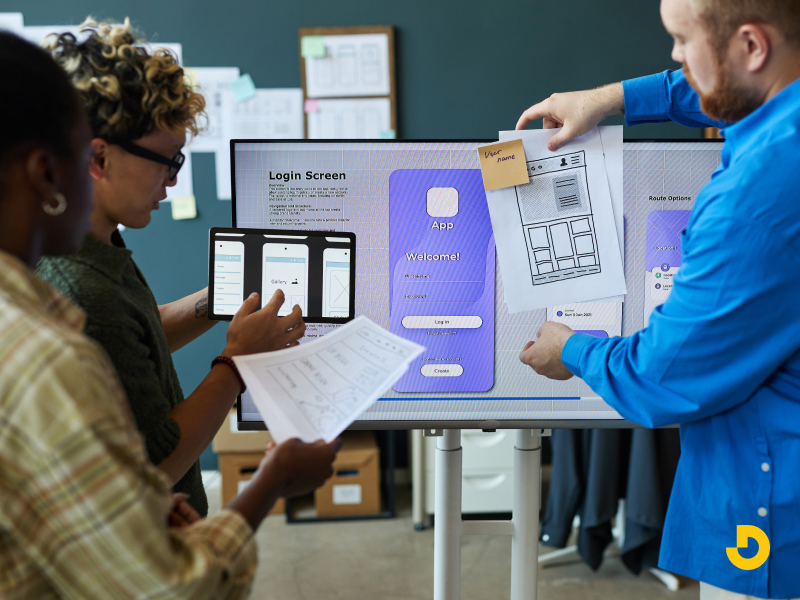
Finish with a one-page brief that states the problem, the audience, and measurable goals. Good goals sound like "cut order entry time in half" or "reduce support calls by a third." These goals become the yardstick for every later choice.
Next, turn goals into user stories. A user story follows a simple pattern: "As a [role], I want [action], so that [benefit]." Write one for each need, then rank them. Methods such as MoSCoW (must, should, could, won't) or RICE scoring keep the debate fair.
The minimum viable product, or MVP, is the smallest release that proves your idea has value. Scope is the biggest lever on price, so this step matters. For a closer look at numbers, see our budget planning breakdown.
Designers map user flows, sketch wireframes, and build a clickable prototype. You can test the product before any code exists. Even a handful of test sessions will reveal confusing labels and dead ends.
This phase also produces a design system. It holds colors, type styles, spacing rules, and ready-made components. Developers reuse these parts, so the product stays consistent. Build in accessibility from the start. Follow WCAG guidelines for color contrast, keyboard navigation, and screen reader support.

Now the tech lead turns the plan into a blueprint. The team chooses the stack, draws the data model, and defines API contracts. They also set up three environments: development, staging, and production. A Git repository and a CI pipeline are created so every change is tested automatically.
This is the right time to settle rendering style, hosting, and monitoring. Changing them later costs far more.
Developers now build the front end, the back end, and the integrations. Work is split into small stories. Each story passes code review and automated tests before it merges.
Quality needs layers. A healthy test pyramid has many fast unit tests, fewer integration tests, and a small set of end-to-end tests that mimic real user paths. Add cross-browser checks, device tests, and load tests that simulate busy days.
Security gets its own pass. Run automated scans, review access rules, and consider a penetration test for sensitive data. Finish with user acceptance testing, where real stakeholders confirm the product does the job.
Launch is the start of the product's life. Use a staged rollout, such as a canary release to a small group, and keep a rollback plan ready. Watch uptime, error rates, and response time from day one.
Plan upkeep early. Dependencies age, browsers change, and new threats appear. Schedule regular updates, test your backups, and review user feedback each month. The next roadmap should grow from real usage, not guesses.
Planning a browser-based product?
Share your goals, and we will map the scope, the architecture, and the timeline with you. No pressure, just a clear plan.
Plan My Web App →No single tool does everything. Teams pick one tool per job and make sure they work together. The table below groups popular options by task and shows what to look for.
| Job | Common Tools | What to Look For |
|---|---|---|
| Planning and tracking | Jira, Linear, Trello, Notion | Clear backlog, sprint boards, reports |
| Design and handoff | Figma, FigJam, Storybook | Shared components, dev-ready specs |
| Version control | Git, GitHub, GitLab | Pull requests, code review, branch rules |
| Front end | React, Next.js, Vue, Nuxt, Angular, TypeScript | Component reuse and a large talent pool |
| Back end | Node.js, Django, Laravel, Ruby on Rails, .NET | Mature security features and good docs |
| Data | PostgreSQL, MySQL, MongoDB, Redis | Fit with your data shape, backup tools |
| Testing | Jest, Vitest, Cypress, Playwright, Selenium | Fast feedback and CI support |
| CI/CD and infrastructure | GitHub Actions, GitLab CI, Docker, Kubernetes, Terraform | Repeatable, automated releases |
| Hosting | AWS, Google Cloud, Azure, Vercel, Netlify | Autoscaling, regions, cost controls |
| Monitoring | Sentry, Datadog, New Relic, Grafana | Alerts, tracing, error grouping |
| Analytics and feedback | Google Analytics 4, Mixpanel, Hotjar | Funnels and behavior insight |
Some features are solved problems. Buy those, and spend your budget on what makes your product different.
One breach can erase years of trust. Treat security as a feature from the first sprint, not a patch before launch.
Speed shapes both revenue and rankings. Google's Core Web Vitals measure loading (Largest Contentful Paint), responsiveness (Interaction to Next Paint), and visual stability (Cumulative Layout Shift). Aim to pass all three on your public pages.
Famous products make useful case studies. Each one solves a clear problem, and each one shows a design choice you can borrow.
| Web App | Category | Standout Capability | Lesson for Your Build |
|---|---|---|---|
| Google Docs | Productivity | Real-time co-editing with auto-save | Treat conflict handling as core design work |
| Trello | Project management | Simple kanban boards | A narrow, clear use case can win loyal users |
| Slack | Team messaging | Live messages over persistent connections | Real-time features need a different back end |
| Airbnb | Two-sided marketplace | Search, filters, booking, and payments | Marketplaces must serve two user groups at once |
| Figma | Design tool | Heavy graphics in the browser through WebAssembly | Browsers can now run demanding workloads |
| Notion | Knowledge workspace | Flexible block-based pages | Flexibility demands a strong data model |
You do not need to build the next Slack. Most business value comes from focused tools like these:
Notice the pattern. Each product does one job extremely well. Start with that job and expand only when users ask for more.
Many teams launch on the web first, learn from real use, and add native later. If that is your plan, compare steps in our mobile app build walkthrough.
Most of a web app sits behind a login, so search engines only see your public pages. Plan that public layer on purpose.
AI answer engines often pull from pages that state facts plainly under clear headings. Short definitions and well-labeled tables help. For a deeper look at how builders and marketers can plan together, read about search-friendly development.
The right partner reduces risk. Ask questions that reveal how they work, not just what they promise.

Clear answers signal a mature team. Vague answers signal trouble.
Ready to turn your idea into a working product?
Designocracy blends design and engineering in one team. Book a free consultation and get a practical roadmap.
Get a Free Consultation →Good web application development happens in clear steps, led by people who listen. Start small, test often, and improve with real feedback.