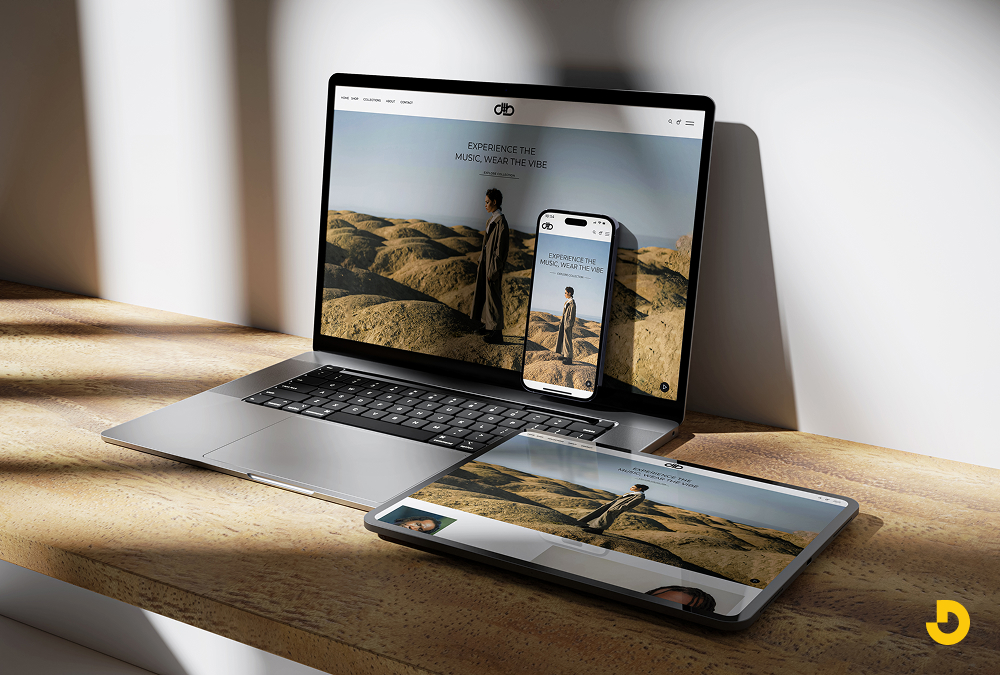
Pick up your phone and search for a plumber, a dentist, or a lunch spot in Birmingham. Within seconds, you judge each business by its website. Is it clear? Is it fast? Does it feel trustworthy? Most visitors decide before they read a single paragraph.
That snap judgment is why professional web design matters. It is not about decoration. It is about turning a glance into a call, a booking, or a sale. The city has a strong mix of healthcare, finance, home services, restaurants, and startups. Your site often competes with dozens of similar options.
This guide explains what a professional site includes and how it affects trust, search visibility, and revenue. You will see what different local industries need most. You will also find a fair comparison with DIY builders, warning signs of a weak site, and simple ways to measure results. If you want a team that knows the local market, meet our Birmingham team.
What Professional Web Design Actually Includes
Many owners think design means colors and layout. In practice, it is a set of skills that work together. A site can look polished and still fail if the other parts are missing.
| Element |
What It Covers |
Why It Matters |
| Strategy and research |
Goals, audience, competitor review, content plan |
Ties every page to a business result |
| User experience (UX) |
Information architecture, navigation, user flows, wireframes |
Helps visitors find answers fast |
| Visual identity (UI) |
Typography, color, imagery, layout, brand consistency |
Builds trust and recall |
| Responsive build |
Layouts that adapt to phones, tablets, and desktops |
Serves the mobile majority |
| Performance |
Image compression, clean code, caching, hosting setup |
Fast pages keep visitors and support rankings |
| Accessibility |
Contrast, alt text, keyboard navigation, readable forms |
Welcomes every visitor and lowers legal risk |
| SEO foundation |
Page titles, headings, schema, clean URLs, sitemap |
Helps search engines understand each page |
| Security and upkeep |
HTTPS, backups, updates, uptime monitoring |
Protects your data and reputation |
| Analytics and tracking |
GA4, call tracking, form tracking, Search Console |
Shows what is working |
Why Professional Web Design Matters for Birmingham Businesses
Trust Is Built in Seconds
People rarely hire a business they do not trust. A dated layout, broken links, or blurry photos signal carelessness, even when your service is excellent. Consistent branding, real photos of your team, visible reviews, and secure browsing tell visitors you are established.
The effect is stronger for legal, medical, and financial firms. Clients hand over sensitive matters, so they look for proof of credibility before they call.
Clear Design Turns Visitors into Leads
Every page needs one job and one main call to action (CTA). A roofing page might push "Request a free estimate." A restaurant page might push "Reserve a table." Professionals place these buttons where eyes and thumbs naturally land. They keep forms short and add click-to-call on mobile.
For page-level tactics, see our high-converting landing page principles.
Local Search Visibility Starts on Your Site
Many local searchers add "near me" or a neighborhood name. Google weighs your Business Profile, reviews, and website together. Your site should confirm who you are, where you work, and what you offer.
That means consistent name, address, and phone details (NAP), location-specific content, an embedded map, and Local Business structured data. New to the topic? Start with our local SEO basics. Design choices such as heading structure, page speed, and internal links also affect rankings. Our post on how design choices affect rankings explains why.
Mobile Visitors Cannot Be an Afterthought
People look up hours, directions, and phone numbers while they are on the move. Large tap targets, readable text without zooming, a sticky call button, and a simple menu make that easy. Test your own pages with our mobile-friendly checklist.

Speed Shapes Experience and Rankings
Google's Core Web Vitals measure loading, responsiveness, and visual stability. Slow pages frustrate visitors, and frustrated visitors leave. Professionals compress images, trim unused scripts, choose quality hosting, and use caching so pages load quickly even on weaker mobile connections.
Accessibility Is Good Business
Accessible design follows the WCAG guidelines. It includes strong color contrast, alt text for images, captions for video, and full keyboard navigation. In the United States, businesses of many sizes have faced legal claims over inaccessible sites. Good practice reduces that risk and also helps more customers use your site.
A Consistent Brand Builds Recall
Your site, Google Business Profile, signage, and social pages should look and sound like the same company. Consistency makes you easier to remember and easier to trust.
The Anatomy of a High-Performing Local Homepage
Your homepage is the busiest door into your business. Professionals plan it from top to bottom, so each block answers a question visitors have in that moment.
- Headline and first screen: Say what you do and where you do it in plain words. Add one clear button and a visible phone number.
- Trust strip: Show review ratings, credentials, awards, or recognizable client names right under the first screen.
- Services overview: Give each core service a short card that links to its own page.
- Proof: Add project photos, short results, or testimonials with real names and places.
- About and team: Real faces and short bios make a local business feel human.
- Questions and answers: Address the doubts that stop people from calling, such as timing, pricing approach, and service area.
- Contact block and footer: Repeat your CTA, add a map, and list your name, address, and phone details exactly as they appear on your Business Profile.
Notice how this order mirrors a real conversation. First you say hello, then you prove you are credible, and then you invite the next step.
Content, Photos, and Proof: What Templates Cannot Fake
Strong design needs strong material. A beautiful layout filled with vague copy and generic stock images still feels empty.
- Original photography: Photos of your team, your work, and your space show that real people stand behind the business.
- Plain-language copy: Short sentences, benefit-led headlines, and no insider jargon.
- Specific proof: A named client, a clear result, or a before-and-after photo beats a vague claim like "quality service."
- Helpful answers: Pages that explain pricing factors, timelines, and process earn trust and attract search traffic.
- Short video: A 30-second welcome or project tour can lift engagement, as long as it loads quickly and has captions.
Not sure how your website measures up?
Get a free review of your site's design, speed, and local search readiness. You will leave with clear next steps.
Request a Free Website Review →
What Different Birmingham Industries Need From Their Websites
The local economy is varied. Healthcare clusters around UAB. Banking and professional services fill the downtown core. Restaurants and venues thrive in Lakeview, Southside, Avondale, and Pepper Place. A startup scene has grown around Innovation Depot. Each group asks different things of a website.
| Industry |
What Visitors Want |
Design Priorities |
| Healthcare and wellness |
Find a provider, check insurance, book a visit. |
Online booking, clear provider bios, privacy-aware forms, accessible layouts |
| Legal and financial services |
Proof of credibility and plain answers |
Credential-led layout, practice-area pages, secure contact forms, jargon-free copy |
| Home services and contractors |
A fast quote and proof of past work |
Click-to-call, service-area pages, before-and-after galleries, review widgets |
| Restaurants, breweries, and venues |
Menu, hours, events, reservations |
Mobile-first menus, online ordering, hours schema, photo-led design |
| Retail and ecommerce |
Easy browsing and safe checkout |
Fast product pages, filters, trusted payments, abandoned-cart emails |
| Startups and tech |
A clear value story and a demo |
Product storytelling, demo booking, a CMS that scales |
| Nonprofits and churches |
Ways to give, volunteer, and find events |
Simple donation flow, event calendar, easy navigation |
Three Everyday Scenarios
The examples below are illustrations, not client results. They show how design decisions change the visitor's experience.
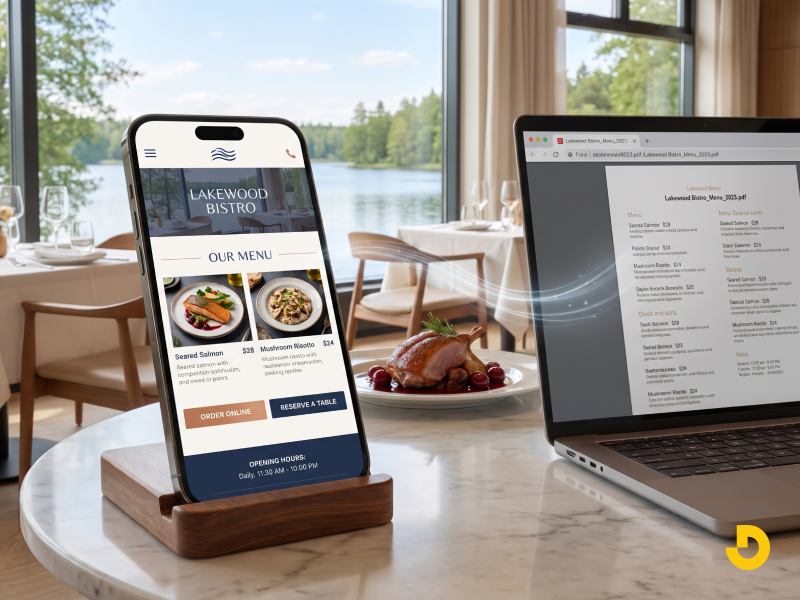
A Lakeview Restaurant With a PDF Menu
Guests on phones must pinch and zoom to read a PDF, and many give up. A professional rebuild turns the menu into fast, readable web text. It adds online ordering, a reservation button, and hours markup so Google can show the right times.
A Hoover Home Services Contractor With a One-Page Site
One page cannot rank for every service. A better structure gives each service its own page, adds click-to-call, and includes real photos of finished jobs. Area details, such as the neighborhoods served, give each page useful local context.
A Downtown Law Firm With Stock Photography
Stock images of handshakes say little. Attorney bios with real photos, clear practice-area pages, and plain explanations of the process help a worried visitor feel understood. A secure contact form completes the picture.
Seven Signs Your Website Is Costing You Customers
- Pages take more than a few seconds to load.
- Text is tiny, or buttons are hard to tap on a phone.
- You get traffic, but few calls or form fills.
- Competitors outrank you for your own services.
- Reviews, credentials, or contact details are hard to find.
- Your team cannot update content without calling a developer.
- The browser shows a "Not secure" warning, or a form fails to send.
If two or more of these sound familiar, a redesign deserves a serious look.
Common Design Mistakes Local Businesses Make
| Mistake |
Why It Hurts |
Better Approach |
| Generic stock photos everywhere |
Visitors sense a faceless business |
Use original photos of your people and work |
| Vague headlines |
Nobody knows what you offer in the first few seconds |
State the service and the place clearly |
| Overloaded menus |
Choices slow people down |
Limit main navigation to the key pages |
| Pop-ups that cover mobile screens |
They frustrate visitors and can hurt search performance |
Use small banners or timed, easy-to-close prompts |
| Hidden phone number |
Ready buyers cannot reach you |
Keep click-to-call visible on every page |
| Heavy sliders and background video |
They slow loading |
Use one strong image and compress it |
| One "Services" page for everything |
Weak relevance for each service |
Give each core service its own page |
DIY Builder or Professional Design? An Honest Comparison
Website builders have their place. They suit a hobby project or a quick test of a new idea. Problems appear once the site becomes a real source of revenue.
| Factor |
DIY Builder |
Professional Design |
| Upfront cost |
Low |
Higher |
| Brand fit |
Template-based, similar to many other sites |
Built around your brand and goals |
| Strategy |
Left to you |
Research-led planning |
| SEO control |
Basic settings and limited technical control |
Full control of structure, schema, and speed |
| Performance |
Often heavy with extra scripts |
Tuned for fast loading |
| Accessibility |
Depends on the template |
Tested against WCAG |
| Support |
Help articles and tickets |
A named team and ongoing care |
| Growth |
Can hit feature limits |
Scales with new features and traffic |
The real question is return, not price. For current budget ranges, read our website cost guide.
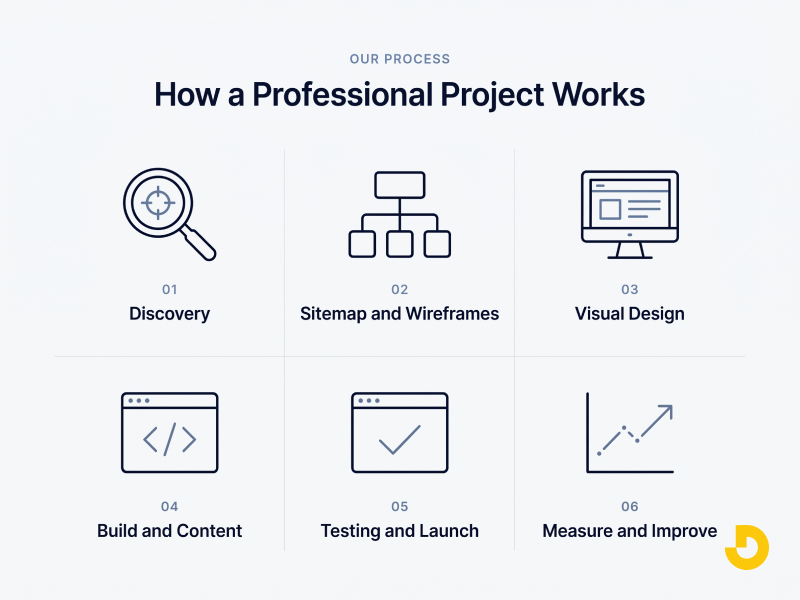
How a Professional Project Works
- Discovery. Define goals, audience, competitors, and success metrics.
- Sitemap and wireframes. Plan page structure and user flows before any visuals.
- Visual design. Create brand-aligned layouts, reviewed on both desktop and mobile.
- Build and content. Develop the site, write the copy, add photos, and set up SEO elements.
- Testing and launch. Check speed, forms, browsers, accessibility, and redirects.
- Measure and improve. Review analytics, study behavior, and run small tests.
What You Should Receive at Launch
- Ownership of your domain, hosting account, and design files.
- Analytics and conversion tracking, already set up.
- 301 redirects from old URLs so you keep existing rankings.
- An XML sitemap, with Search Console connected.
- Structured data for your business and key pages.
- A backup and security plan.
- Training or short video guides so your team can edit content.
Some projects need more than design. Booking engines, client portals, and system integrations call for deeper engineering. Read about the development work behind the design to see where that line falls.
Local SEO Features That Good Design Builds In
- Unique, useful pages for each area you truly serve, not copy-and-paste clones.
- Name, address, and phone details that match your Google Business Profile exactly.
- An embedded map, driving directions, and clear service-area information.
- Review widgets and testimonials that mention real projects or services.
- LocalBusiness and FAQPage structured data.
- Descriptive image names and alt text that reflect the service and place.
- Internal links that connect services, locations, and helpful articles.
Take suburb pages as an example. A page for Homewood, Hoover, Vestavia Hills, or Mountain Brook helps only if it includes real details, such as local projects, common questions, and directions. Thin pages with a swapped place name add little value.
How to Measure the Return on Your Website
Record these numbers before launch. Compare them after 90 days.
| Metric |
What It Tells You |
Where to Find It |
| Conversion rate |
Share of visitors who call, book, or buy |
GA4 and call tracking |
| Lead volume and quality |
Forms, calls, and chats from the site |
CRM and call tracking |
| Page speed |
Loading, responsiveness, and stability |
PageSpeed Insights and Search Console |
| Organic traffic |
Visits from unpaid search |
Search Console and GA4 |
| Profile actions |
Calls, directions, and website clicks from your profile |
Google Business Profile insights |
| Engagement |
Scroll depth, time on page, and exits |
GA4 and heatmap tools |
| Cost per lead |
Total spend divided by leads won |
Spreadsheet or CRM |
How to Choose the Right Designer
Ask questions that show how a team works, not only what it promises.
- Can you show work for businesses like mine, with measurable results?
- Who owns the website, the design files, and the hosting accounts?
- Is SEO groundwork included, or sold separately?
- How do you test for speed, mobile use, and accessibility?
- What does support look like after launch?
- Can I speak with a past client?
Clear answers signal a mature team. Vague answers signal risk.
Ready for a website that works as hard as you do?
Talk to Designocracy about design, speed, and local search readiness for your business.
Book a Free Consultation →
Key Takeaways
- Design shapes trust within seconds, so first impressions carry real money.
- A clear CTA and a fast mobile experience turn visitors into leads.
- Your site should confirm your name, place, and services for local search.
- Different industries need different layouts and features.
- Measure calls, forms, speed, and map actions before and after launch.
A professional website is not an expense to minimize. It is the one sales asset that works around the clock.
Let's make your website your best salesperson.
Share your goals, and we will map a clear plan for design, speed, and local visibility.
Start Your Project →