October 6, 2026
Rebranding Guide: When and How to Do It Right
A practical rebranding guide that explains when it's time to rebrand, how to do it without losing clients, and what mistakes to avoid.
Published On: August 6, 2025
Published By: Designocracy

Shopify has revolutionized the way entrepreneurs and businesses sell products online. If you've decided to build an e-commerce website using Shopify, you're making a smart choice. However, designing a visually appealing, functional, and high-performing website can be overwhelming if you don't know where to start.
In this blog post, we'll guide you through how to design a Shopify website in just 6 easy-to-follow steps. Whether you're a beginner or a seasoned business owner looking to revamp your site, this guide will help you create a Shopify store that attracts customers, drives sales, and enhances user experience.
Before diving into the design elements, it's crucial to select the right Shopify plan. Shopify offers several plans tailored to different business needs:

Choosing the right plan depends on your business size, budget, and required features. Once you've decided on a plan, you're ready to start designing your website.
The theme of your Shopify website is crucial in determining its overall look and feel. Your theme should align with your brand identity, products, and customer expectations.
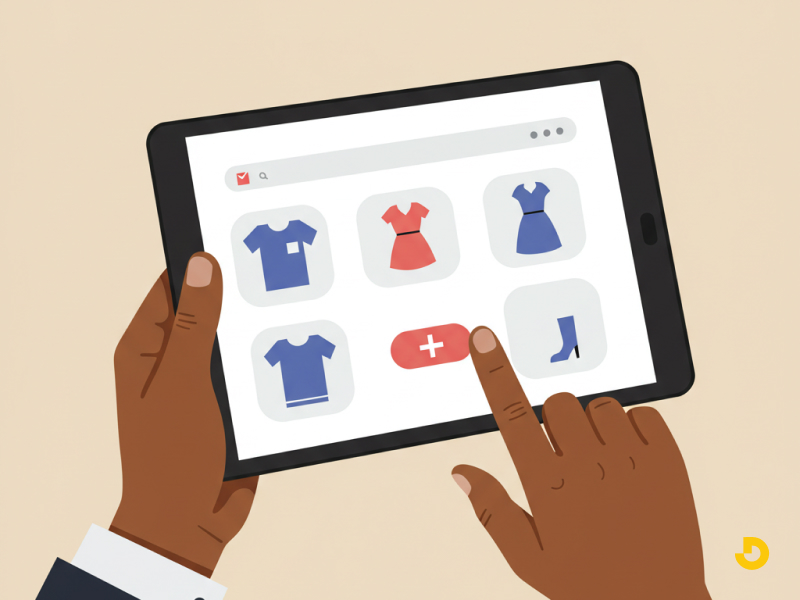
Shopify offers a range of both free and paid themes. While free themes are good for businesses just starting, paid themes offer more customization options and advanced features. Consider investing in a paid theme if you're aiming for a more polished and unique look for your website.
Some popular themes include:
Once you've selected a theme, it's time to customize it. Shopify allows you to edit the colors, fonts, logos, and homepage layout. Here's how to personalize your theme:
Most themes come with built-in options for customization, or you can use Shopify's theme editor to modify the design.
A user-friendly layout and intuitive navigation system are key to keeping customers on your site. The easier it is for customers to find products and make purchases, the higher your conversion rate will be.
A clear navigation structure is essential for a seamless shopping experience. Here's how to organize your store:
Some pages are fundamental for any e-commerce website. Be sure to create and customize the following pages:
In 2025, more than 50% of global website traffic comes from mobile devices. Therefore, your Shopify store must be fully responsive to provide an excellent shopping experience across all screen sizes.

Shopify themes are generally mobile-responsive, but you should double-check that:
Test your website on various mobile devices to ensure everything is functioning as it should.
Now that your store design is coming together, it's time to start adding products and configuring the necessary features to run your online store.
High-quality images and detailed descriptions are essential for driving conversions. Follow these best practices:
Shopify integrates with multiple payment gateways, including PayPal, Stripe, and Shopify Payments. Choose the payment methods that best suit your customer base.

Next, set up shipping options based on your delivery methods (e.g., standard, expedited). Shopify allows you to integrate with various carriers like UPS, FedEx, and USPS.
Before going live, it's important to test your Shopify website thoroughly to ensure everything works as expected.
Here's a quick checklist to review before launching:
Once you're confident that everything is ready, it's time to launch! Announce your launch on social media and through email marketing to generate buzz.
| Step | Key Actions | Important Details |
|---|---|---|
| 1. Choose Plan |
- Basic Shopify - Shopify - Advanced Shopify - Shopify Plus |
Select based on: - Business size - Budget - Required features |
| 2. Select Theme |
- Choose free or paid theme - Popular options: • Debut • Brooklyn • Turbo |
Customization options: - Branding (logo/colors) - Typography - Homepage layout |
| 3. Layout & Navigation |
- Main navigation menu - Footer navigation - Search functionality |
Essential pages: - About Us - Contact Us - Shipping & Returns |
| 4. Mobile Optimization |
- Responsive design check - Mobile navigation test - Page speed test |
Key considerations: - Scaled images/text - Tappable buttons - Fast loading |
| 5. Add Products & Features |
- High-quality product images - SEO-friendly descriptions - Payment gateways setup - Shipping options |
Recommended: - Multiple product angles - Zoom functionality - Multiple payment options |
| 6. Test & Launch |
- Payment testing - Link checking - Shipping verification |
Launch promotion: - Social media - Email marketing - Special offers |
| Cost Estimates |
- Basic design: $500+ - Custom design: $5,000+ - Themes: Free to $300+ - Monthly plans: $29-$299+ |
|
| Key Benefits |
- Beginner-friendly platform - No coding required - Mobile-responsive designs - Built-in SEO features - Scalable for growth |
|
| Top 2025 Themes |
Debut: Simple, beginner-friendly Brooklyn: Modern, image-focused Turbo: High-performance, customizable |
|
| SEO Tips |
- Use SEO-friendly themes - Optimize product descriptions - Add meta tags - Ensure fast loading - Mobile optimization |
|
Designing a successful Shopify website in 2025 is all about understanding your customers' needs and optimizing every aspect of your site to enhance their experience. By following these 6 steps from choosing the right plan to launching your site you'll create an attractive, user-friendly online store that stands out in the crowded e-commerce space.
If you're unsure about the design process or want expert help, consider working with Shopify website design services or hiring a professional who specializes in Shopify website development.
Ready to launch your Shopify store? Follow these steps, and you'll be on your way to online success. If you have any questions or tips to share, feel free to leave a comment below!